Demo
Free demo for 7 days
Try the Demo
MetaTrader 5 Expert Advisor
MetaTrader 5 Expert Advisor that trades the price gap between spot gold and gold futures with hedged pairs, built-in safety limits and a live dashboard.
Gold Arbitrage EA is a MetaTrader 5 Expert Advisor that watches spot gold and gold futures side by side. When the price gap between them becomes unusually wide, it opens one trade on each, in opposite directions, and closes the pair together once it reaches your profit target.
You attach it to the spot gold chart only. It reads and trades the futures symbol in the background.
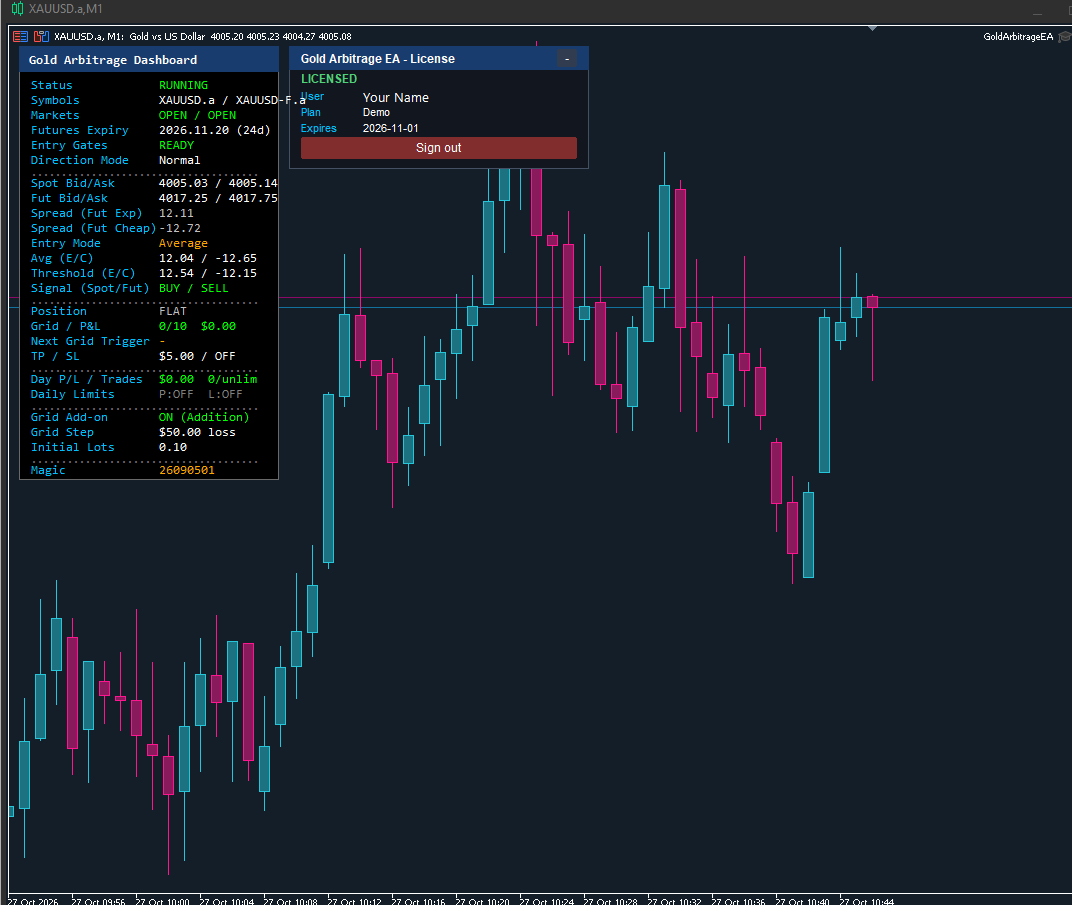
The EA on a spot gold chart, with its dashboard and licence panel.
If one side is rejected by the broker, the EA keeps the open side protected by the take profit and stop-loss, marks it as unhedged on the dashboard and retries only the missing side.
A short confirmation delay makes sure the gap is real and not a single bad price tick.
A compact panel on the chart shows both symbols’ prices, whether each market is open, the futures expiry date, the current gap and the level needed to trade, the open position and grid step, today’s profit and loss, and every safety limit. A single “Entry Gates” line reads READY, or tells you why the EA is waiting.
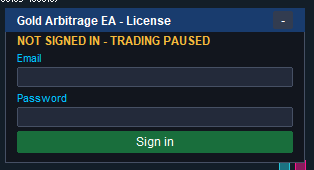
When you attach the EA, a licence panel appears on the chart.
Your password is not saved. Licences are managed with Trend Licensing.
A hedged pair is not risk-free. The optional grid adds positions when a trade moves against you, which can increase losses, and the two prices may not come back together. Test on a demo account first and risk only money you can afford to lose. We make no promise of returns.
The full user manual explains every setting in plain language: GoldArbitrageEA User Manual (PDF).
Pricing
Free demo for 7 days
Try the DemoINR 3,500 for 3 months
Sign UpINR 6,000 for 6 months
Sign UpINR 10,000 for 1 year
Sign UpINR 25,000 Lifetime
Sign UpEvery plan includes
A paid subscription is confirmed once your payment has been checked.
Ask a QuestionFAQ
Attach it to the spot gold chart (for example XAUUSD) only. It reads and trades the futures symbol in the background, so you do not need to open a chart for it.
Any MetaTrader 5 broker that offers both spot gold and a gold futures symbol on the same account. You enter the exact name of the futures symbol in the settings. A 64-bit MetaTrader 5 is required.
Yes. You create an account on the licensing portal, then sign in from the licence panel that appears on the chart. Without a valid licence the EA opens no new trades, but it still manages and closes any positions that are already open. The Strategy Tester does not need a licence.
The EA keeps running for the offline period allowed by your licence plan, then pauses opening new trades until the connection is back.
Yes. The grid add-on can be switched off completely, in which case only one pair is opened per cycle. If you keep it on, you choose when it adds a pair, how large each pair is, and the maximum number of steps.
No. No trading system can. Spot and futures prices may not come back together as expected, and the optional grid can increase losses. Test on a demo account first and risk only money you can afford to lose.
Get a free consultation and a custom quote for your trading strategy.